
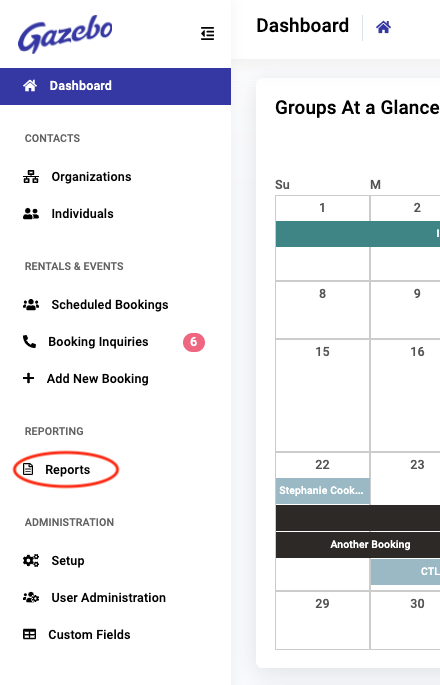
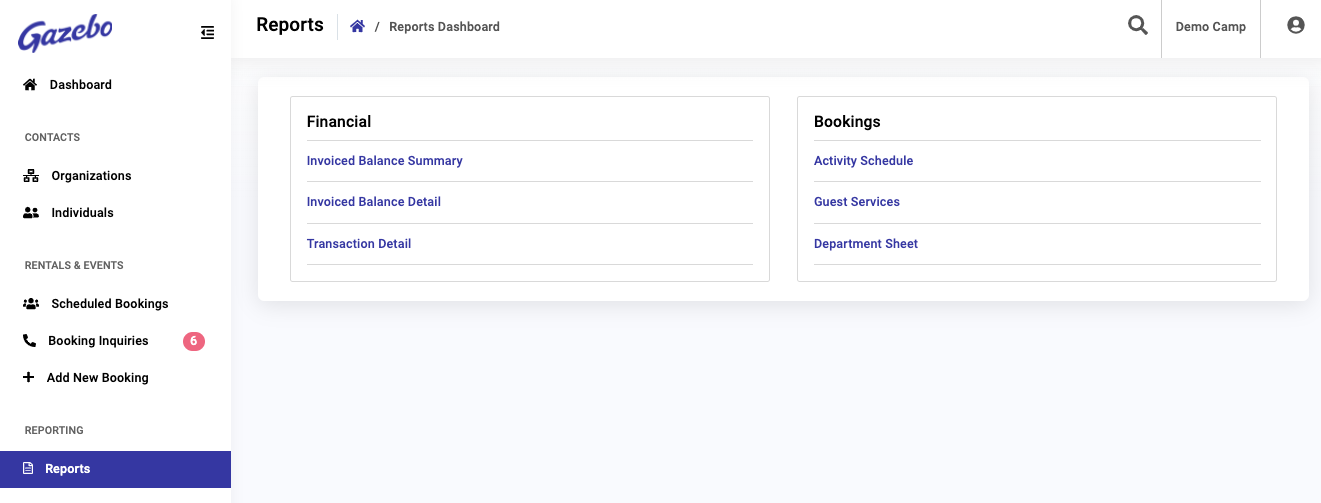
Gazebo reports are available from the Reports link in the main navigation. There are two categories of reports: Financial Reports and Bookings Reports.
Report Controls and Filters
Report controls for paging, scrolling and panning, and zooming and expansion, are at the top of the report results. You may also print the report, or download it in CSV or PDF file format by selecting the appropriate icon.

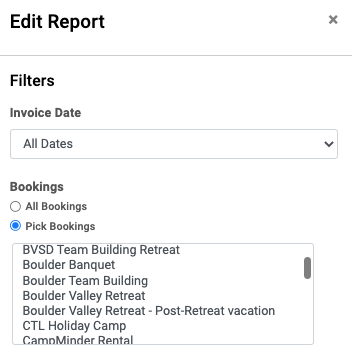
Select the Pencil icon to apply filters that are relevant for the report:
Financial Reports
Three types of Financial reports are available in Gazebo:
- Invoiced Balance Summary
- Invoiced Balance Detail
- Transaction Detail
Invoiced Balance Summary
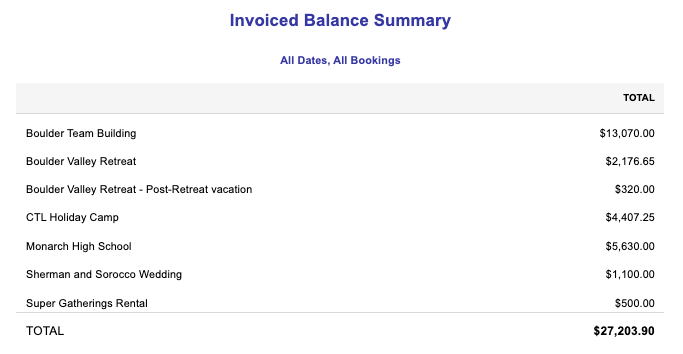
The Invoiced Balance Summary report shows a total invoiced balance due for each booking with a balance.
This report summarizes a total of invoiced charges, less payments or credits applied to invoices. Any charges not invoiced or credits/payments not applied to an invoice will not be reflected on this report.
Invoiced Balance Detail
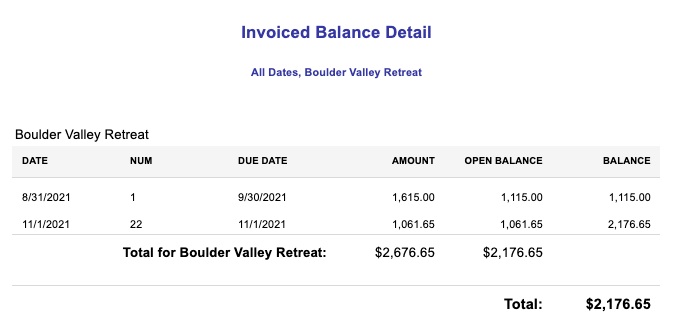
The Invoiced Balance Detail report shows a total balance due for each invoice by booking.
This report summarizes charges, less payments or credits applied to each invoice. Any charges not invoiced or credits/payments not applied to an invoice will not be reflected on this report.
Transaction Detail
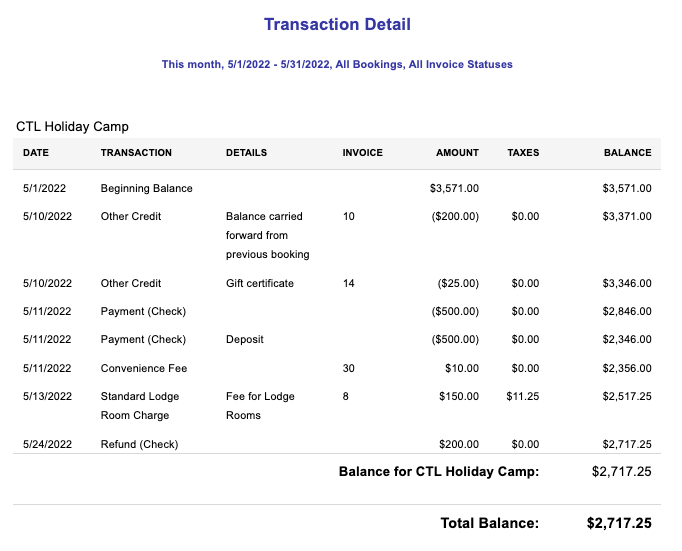
The Transaction Detail report is like a ledger for a booking.
It shows each charge, payment, or credit applied to a booking for a period of time specified in the report filter, whether associated with an invoice or not.
Bookings Reports
Three types of Bookings reports (which are for a booking or reservation) are available in Gazebo:
- Activity Schedule
- Guest Services
- Department Sheet
Activity Schedule
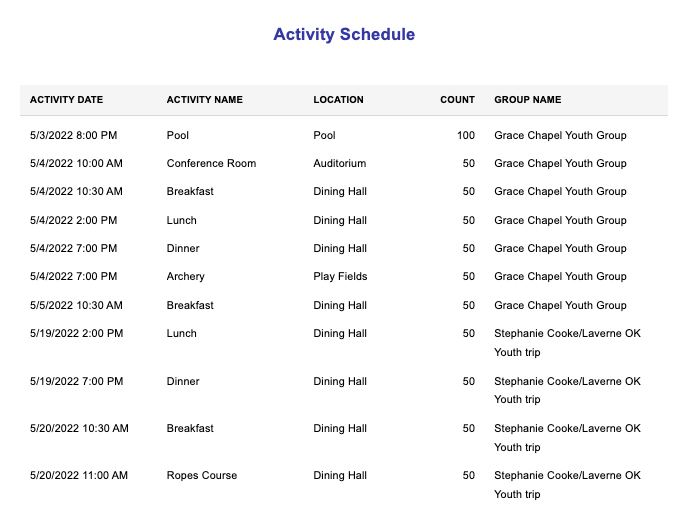
The Activity Schedule shows the details of all activities scheduled for the date range, activities, and locations specified in the filtering criteria.
Guest Services
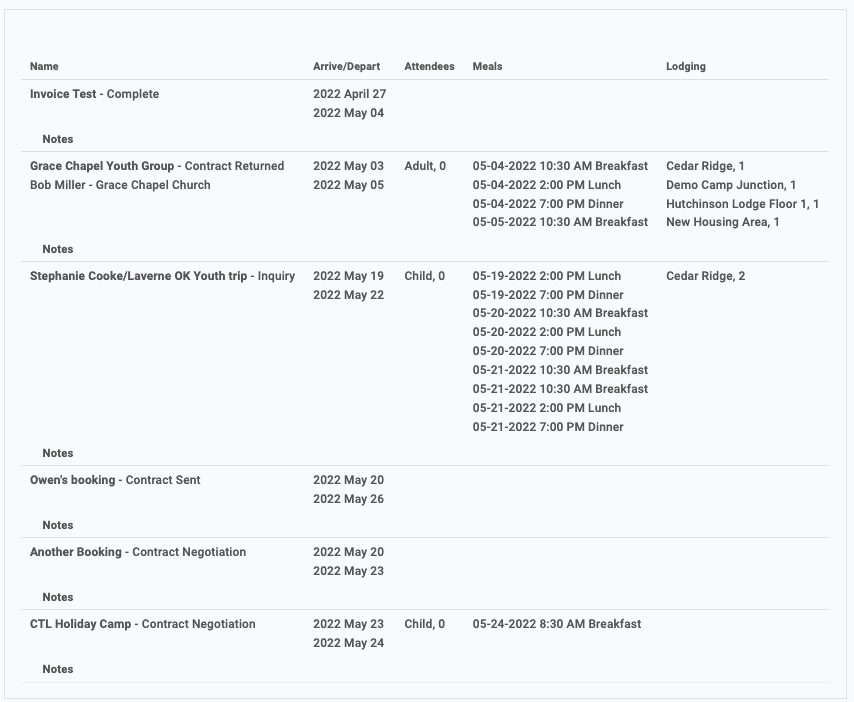
The Guest Services report shows a summary of the status of the group booking, when they are scheduled to be on site, and further information about attendees, meals and lodging—all based on filtering criteria.
Department Sheet
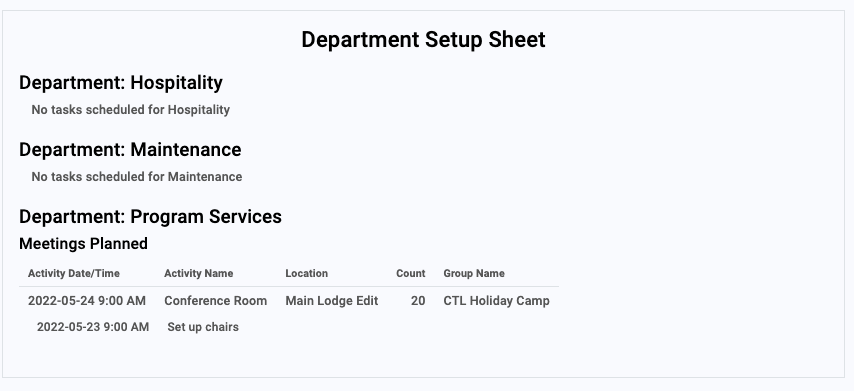
The Department Sheet provides details for each department that support the tasks they’ve been assigned for activities, meals and maintenance to support upcoming reservations.